
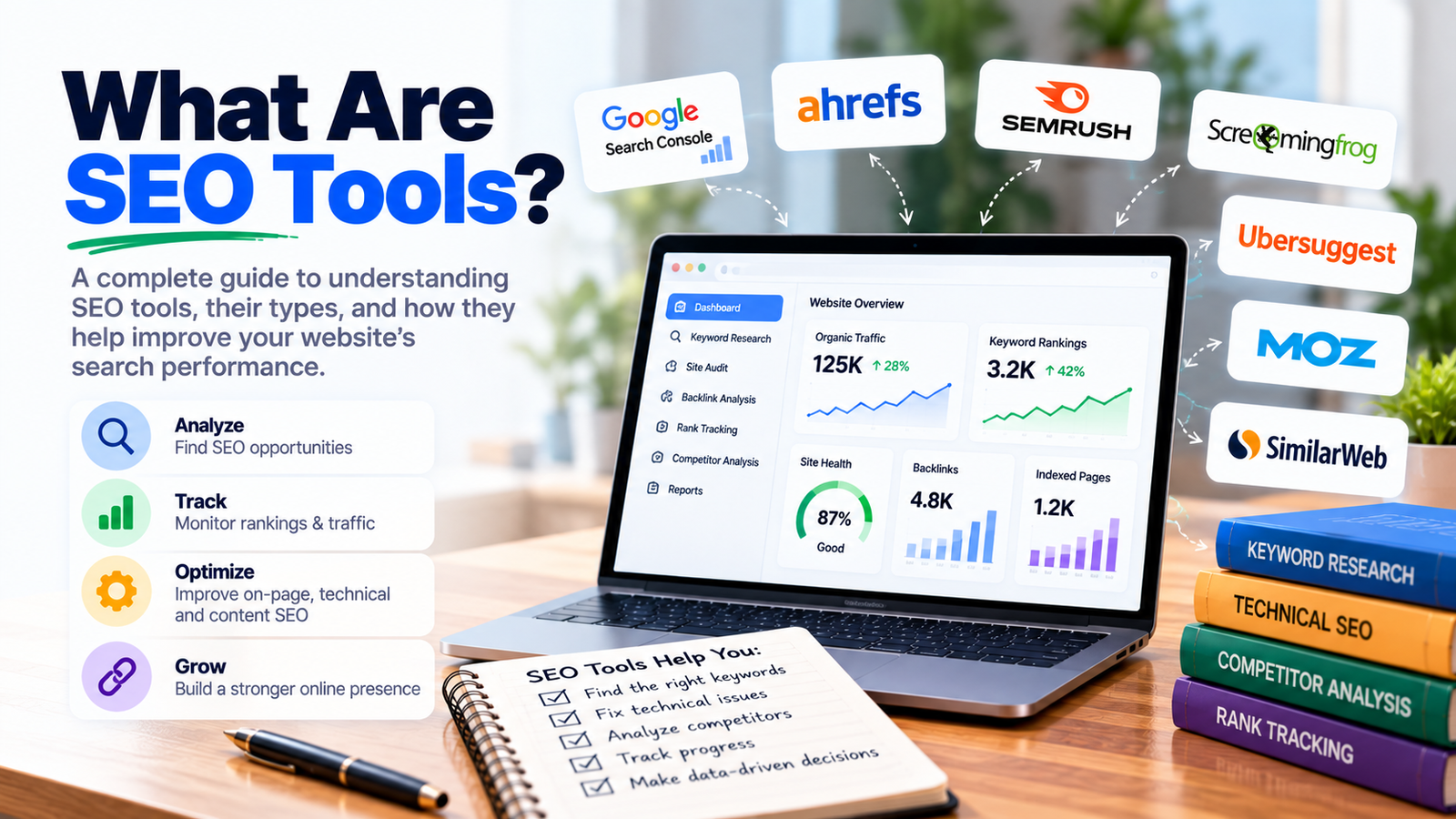
SEO tools are software applications that help with the different tasks involved in search engine optimization — researching keywords, auditing a website’s technical health, tracking rankings, analyzing competitors, and building backlinks. No single tool covers everything well, which is why most SEO professionals use a small stack of specialized tools rather than relying on just one.
If you’re new to SEO and overwhelmed by the sheer number of tools recommended online, it helps to think in categories first — what job each tool actually does — rather than trying to find one tool that does everything.
Understanding the types of SEO tools available makes it much easier to build a useful toolkit, rather than randomly signing up for whatever gets recommended most often.
These help identify what people are actually searching for, along with search volume and competition level. Tools in this category (like Google Keyword Planner, Ahrefs, and SEMrush) are usually the starting point for any SEO strategy, since they shape which topics and pages get built in the first place.
These crawl a website to find issues like broken links, slow-loading pages, duplicate content, or missing meta tags. Screaming Frog is one of the most widely used tools in this category, letting you crawl an entire site and export a full list of technical issues to fix.
These monitor where a website ranks for specific keywords over time, showing whether SEO efforts are actually moving the needle. This is essential for measuring progress, since rankings can shift gradually and are easy to lose track of without consistent monitoring.
These show which websites link to a given site (and to competitors), helping identify link building opportunities and monitor the overall health of a backlink profile. Ahrefs and SEMrush both offer strong backlink analysis features alongside their keyword research tools.
Plugins like Yoast SEO and Rank Math (for WordPress) fall into this category, helping optimize individual pages — checking keyword usage, readability, meta tag length, and internal linking, directly within the content editor.
Tools like Clearscope or Surfer SEO analyze top-ranking content for a target keyword and suggest related terms and topics to cover, helping ensure a new page addresses a topic as thoroughly as competing pages do.
Not every useful tool requires a paid subscription. A few free SEO tools genuinely hold their own:
Once the free basics are in place, a few paid tools tend to offer the clearest return, especially for agencies or businesses managing SEO at scale:
Ahrefs — widely considered one of the strongest all-around platforms, with particularly deep backlink analysis, keyword research, and competitor tracking in one place.
SEMrush — a close competitor to Ahrefs, especially strong for competitor analysis, paid search data, and broader digital marketing insights beyond just SEO.
Screaming Frog (paid version) — the free version caps the number of URLs crawled; the paid license removes that limit, which matters for larger sites.
Surfer SEO — focused specifically on content optimization, comparing a draft against top-ranking pages for a target keyword and suggesting specific improvements.
Moz Pro — a solid alternative to Ahrefs/SEMrush, known for its accessible interface and reliable Domain Authority metric, often used as an industry benchmark.
For SEO tools for beginners, the right starting point isn’t the most expensive or feature-rich option — it’s a small set covering the essentials: Google Search Console and Analytics for tracking performance, a free on-page SEO plugin for content optimization, and one keyword research tool (even a free tier) to guide topic selection. Adding more specialized tools — for backlink analysis, competitor tracking, or content optimization — makes more sense once the basics are consistently being used and understood.
Even the most comprehensive platforms, like Ahrefs or SEMrush, have areas where they’re stronger or weaker compared to specialized alternatives. A technical crawl tool like Screaming Frog will typically catch more granular site issues than an all-in-one platform’s built-in audit feature. This is why most experienced SEO practitioners use a stack of two to four tools, each covering the area it’s genuinely strongest at, rather than trying to find one tool that replaces all the others.
Rather than starting from “what are the best SEO tools,” it’s more useful to start from the actual tasks that need doing: Do you need to find new keyword opportunities? Audit an existing site for technical problems? Track how rankings change over time? Matching tools to specific, current needs — rather than collecting every popular tool at once — keeps a toolkit manageable and genuinely useful rather than overwhelming.
Google Search Console, Google Analytics, and a free on-page SEO plugin (Yoast or Rank Math) cover most of what a small business needs to start. Paid tools like Ahrefs or SEMrush become more useful as SEO efforts scale.
Free tools cover the fundamentals well, especially for smaller sites. Paid tools become more valuable for competitive keyword research, in-depth backlink analysis, and tracking rankings across a large number of keywords.
Google Search Console is usually the best starting point, since it shows exactly how your site currently performs in search — the data needed to know what to actually work on next.
Generally, yes. Technical SEO tools (like Screaming Frog) focus on crawling and site health, while content-focused tools (like Yoast or Surfer SEO) focus on optimizing individual pages and their written content.
Most agencies use a stack of 3 to 6 tools covering different categories — keyword research, technical audits, rank tracking, and backlink analysis — rather than relying on a single all-in-one platform.

Grow Your Business with Result-Driven SEO & Digital Marketing Solutions. We Help Brands Increase Rankings, Traffic, and Quality Leads Organically.
| Monday | 9:30 AM - 6:30 PM |
| Tuesday | 9:30 AM - 6:30 PM |
| Wednesday | 9:30 AM - 6:30 PM |
| Thursday | 9:30 AM - 6:30 PM |
| Friday | 9:30 AM - 6:30 PM |
| Saturday | 9:30 AM - 6:30 PM |
| Sunday | Closed |
©Copyright @ 2026 RankPluto. | All Right Reserved
This will close in 0 seconds